

You wrote 10 blog posts. Google indexed only 4 of them. Of those 4, two are stuck on page three.
This is the exact question behind technical SEO vs on-page SEO. They sound alike, but they fix very different problems. Fix the wrong one, and you waste months.
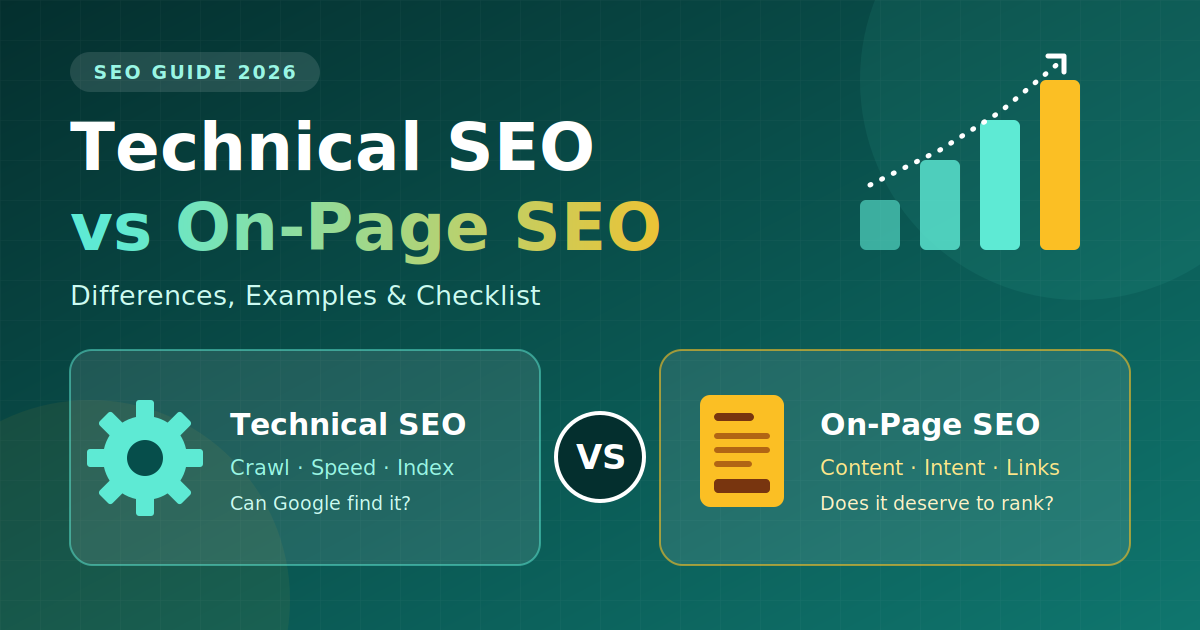
In this guide on technical SEO vs on-page SEO, you will learn what each one means, how they differ, which tools to use, and how to find your real problem in 10 minutes.
Quick Answer
- Technical SEO = can Google find, read, and store your pages?
- On-page SEO = does your content deserve to rank once Google finds it?
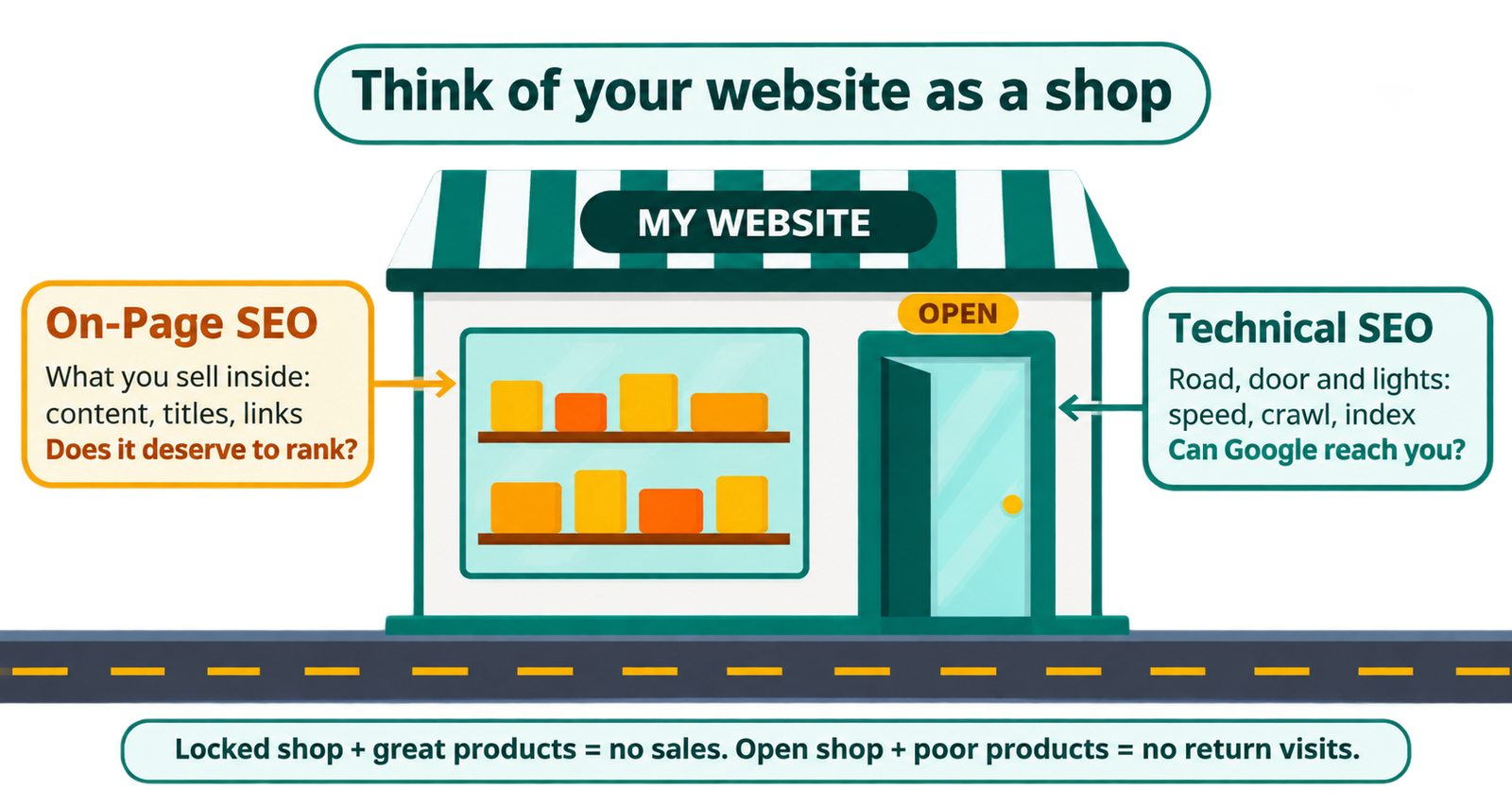
In short, technical SEO vs on-page SEO is about access versus relevance. Think of a shop. Technical SEO is the road, the door, and the lights. On-page SEO is what you sell inside. A great product in a locked shop sells nothing. An open shop with poor products gets visitors, but they never come back.
What Is Technical SEO?
Technical SEO is the work done behind the scenes so search engines can crawl, understand, and index your site. It is not about keywords or writing. It is about how your website is built. Every technical SEO vs on-page SEO comparison starts here, because if Google cannot reach a page, that page cannot rank.
- Crawling and indexing: robots.txt, XML sitemap, and internal links that guide Google around your site
- Site speed and Core Web Vitals: how fast and stable your pages feel
- Mobile-friendliness: Google mostly uses the mobile version of your site to rank it
- HTTPS: a secure connection on every page
- Structured data (schema): code that helps Google understand your content
- Clean fixes: broken links, redirect chains, and duplicate pages
- Site structure: simple URLs and a clear folder order
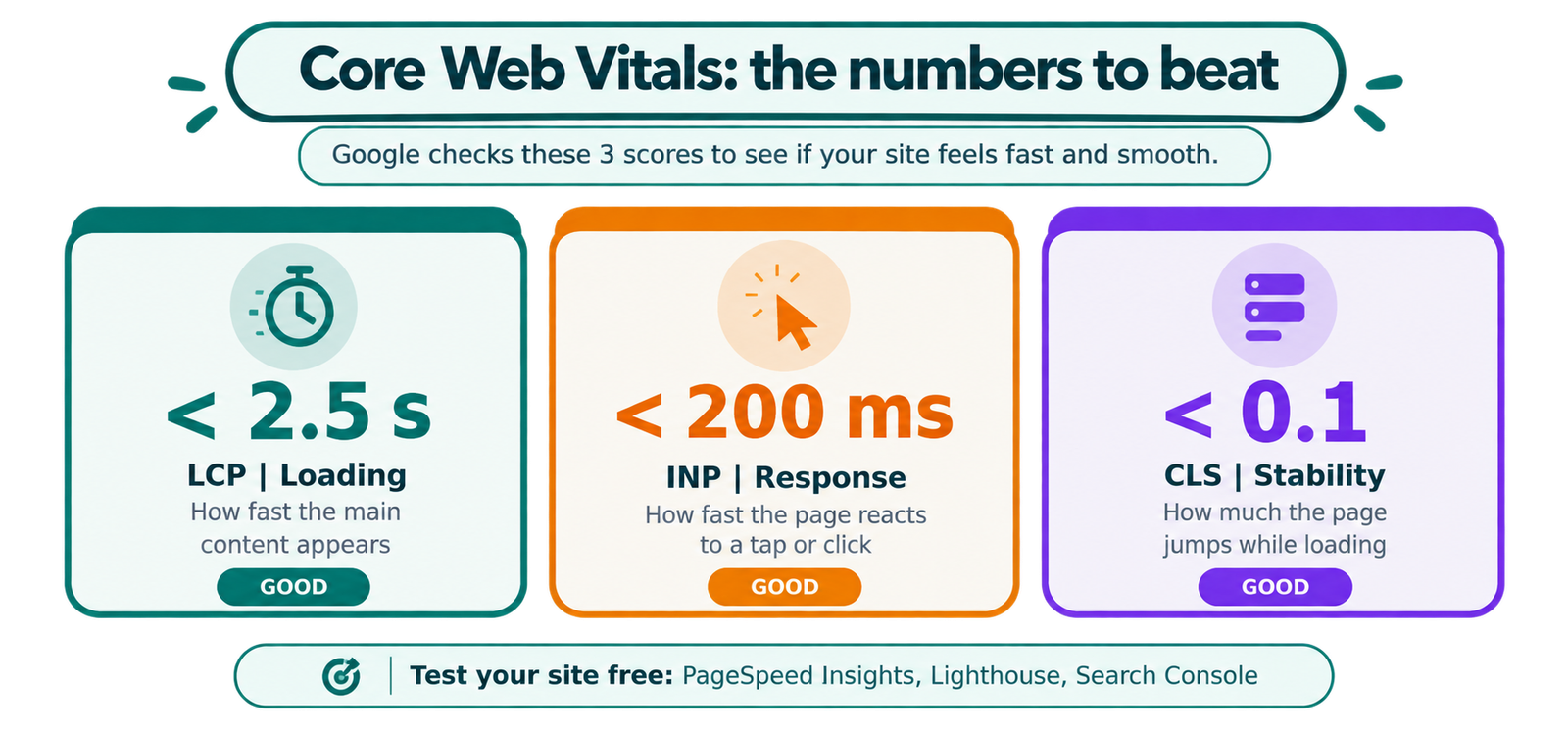
Core Web Vitals: the numbers to aim for
Metric |
What it measures |
Good score |
|---|---|---|
LCP (Largest Contentful Paint) |
How fast the main content loads |
Under 2.5 seconds |
INP (Interaction to Next Paint) |
How fast the page reacts to taps and clicks |
Under 200 ms |
CLS (Cumulative Layout Shift) |
How much the page jumps while loading |
Under 0.1 |
What Is On-Page SEO?
On-page SEO is everything you do on the page itself so it matches what the searcher wants. This is the part users see and read. It is the other half of technical SEO vs on-page SEO. Technical SEO asks, “Can Google find this?” On-page SEO asks, “Is this the best answer?”
- Search intent: give the searcher exactly what they came for
- Content quality: clear, complete, and original answers
- Title tag and meta description: your first impression in search results
- Headings (H1, H2, H3): a simple structure that is easy to scan
- Keywords: used naturally in the title, headings, and first paragraph
- Internal links: connect related pages so authority flows between them
- Images: short file names, helpful alt text, small file sizes
- Readability: short paragraphs and plain words
Technical SEO vs On-Page SEO: Key Differences
Technical SEO |
On-Page SEO |
|
|---|---|---|
Focus |
Site setup and backend |
Content and page elements |
Main question |
Can Google access it? |
Does it deserve to rank? |
Who benefits first |
Search engine crawlers |
Readers and search engines |
Effort |
Setup first, then regular audits |
Ongoing updates |
Example fixes |
Crawl errors, speed, schema |
Better content, titles, links |
Skills needed |
Some web and tech knowledge |
Writing and research |
Main tools |
Search Console, Screaming Frog, PageSpeed Insights |
Keyword tools, SERP analysis, Search Console |
That is the whole technical SEO vs on-page SEO story in one table. They are not rivals. They are two layers of one plan. Technical SEO earns your content a chance. On-page SEO uses that chance.
Side note: off-page SEO is the third type. It means things outside your site, like backlinks and brand mentions. It is a topic for another post.
Which One Should You Fix First?
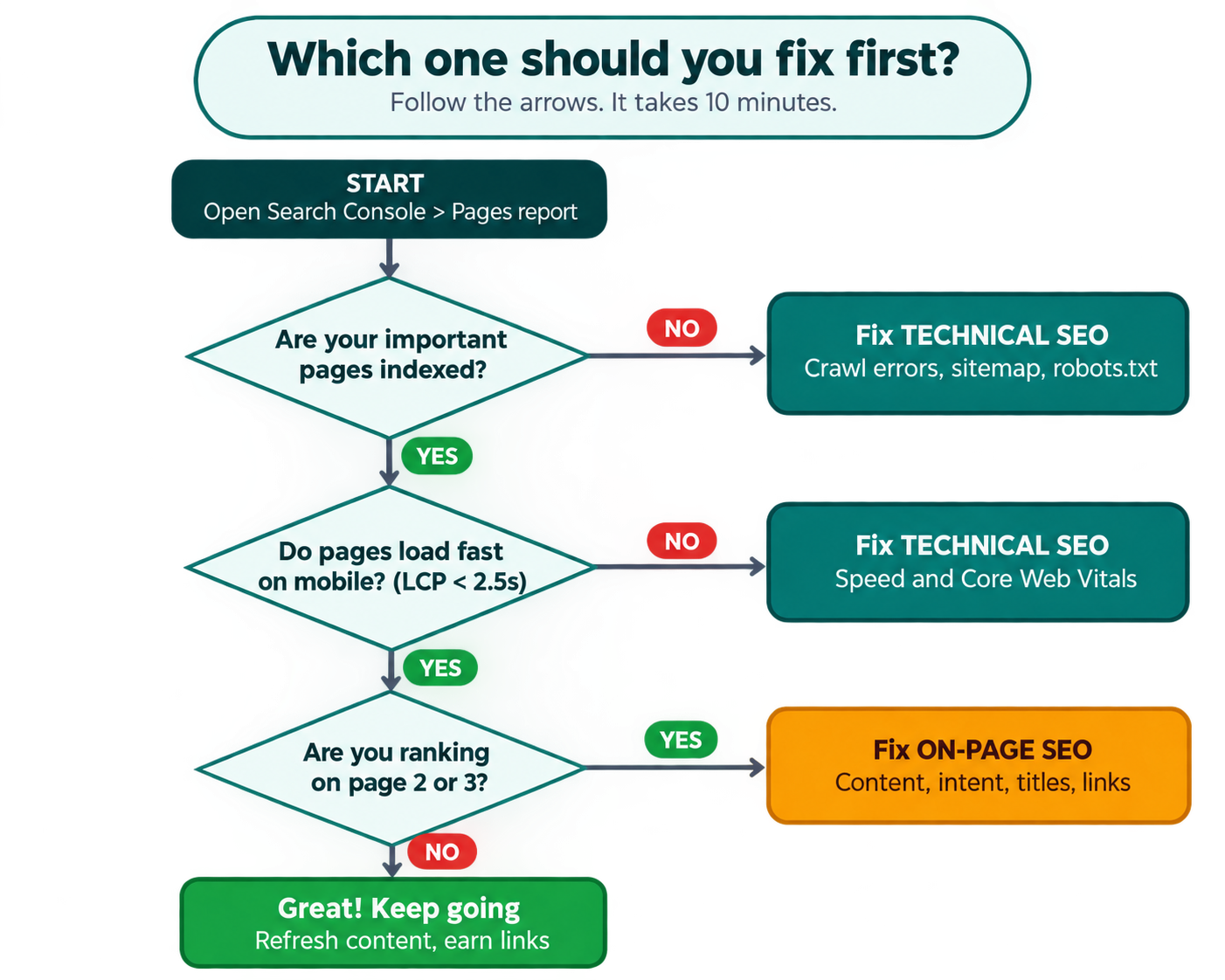
“Both matter” is true, but it does not help you act. When you compare technical SEO vs on-page SEO for your own site, ask one question: which one is the bottleneck right now? Use this flow:
- Step 1: Open Google Search Console and check the Pages report. Are your important pages indexed? If no, start with technical SEO: fix crawl errors, sitemap, and blocked pages. If yes, go to Step 2.
- Step 2: Do the pages load fast on mobile? If no, fix speed and Core Web Vitals. If yes, go to Step 3.
- Step 3: Are the pages ranking on page 2 or 3? If yes, your problem is on-page SEO. Improve content, intent match, titles, and internal links.
Special cases. For a brand-new site, start with technical SEO. There is no point polishing pages Google cannot crawl. For an online store, you usually need both. Duplicate product URLs (technical) often come with thin product descriptions (on-page).
A real-life example
Add your own case here. For example: “A client’s blog had 120 pages, but only 45 were indexed because of a blocked folder in robots.txt. After the fix, indexed pages rose to 110 in 6 weeks, and clicks grew by X%.”
A real example with real numbers builds trust, and Google rewards first-hand experience. Even an anonymous case works well.
Technical SEO Checklist
This is the hands-on side of technical SEO vs on-page SEO. Go in this order. The biggest issues come first.
- Check indexing and crawl errors in Google Search Console
- Test speed with PageSpeed Insights or Lighthouse and fix Core Web Vitals
- Make sure the site works well on mobile
- Confirm HTTPS works on every page, with no mixed-content warnings
- Submit a fresh XML sitemap and clean up robots.txt
- Fix broken links (404s) and long redirect chains
- Add and test schema markup
- Use canonical tags to remove duplicate content
- Check site structure for orphan pages (pages with no links pointing to them)
Free tools: Google Search Console, PageSpeed Insights, Lighthouse, and Screaming Frog (free up to 500 URLs). Technical problems grow quietly. A broken sitemap can hurt rankings for months with no warning, so a quick audit every 2 to 3 months beats one big fix.
On-Page SEO Checklist
This is the content side of technical SEO vs on-page SEO. Run this before you publish any page.
- Understand search intent: look at the top 10 results and see what they offer
- Put your main keyword in the title tag, H1, and first paragraph
- Write a meta description that makes people want to click
- Use clear H2 and H3 headings
- Add 3 to 5 internal links to related pages
- Add alt text and compress your images
- Make the page more useful than the pages already ranking
- Add real examples, numbers, or screenshots
- Read it out loud. If it sounds like a robot, rewrite it
Quick win: In Search Console, open the Performance report and look for pages with many impressions but few clicks, or queries where you rank 8 to 20.
How Technical and On-Page SEO Work Together
Picture two blog posts on the same topic. Post A has great content, but the site is slow and has no sitemap, so Google never fully indexes it. To Google, it does not exist. Post B is on a fast, clean site, but the content is thin and generic. It gets indexed, then sits on page three forever.
Neither wins until its owner fixes the real problem. The best way to use technical SEO vs on-page SEO knowledge is simple: diagnose first, then fix.
Why Technical SEO vs On-Page SEO Matters Even More With AI Search
Google AI Overviews and other AI search tools now answer many questions directly, so technical SEO vs on-page SEO knowledge is more useful, not less. To be used as a source, your page needs two things:
- Technical access: bots must be able to crawl and read your page quickly. Clean code, fast loading, and schema help.
- Clear, trustworthy content: direct answers, simple headings, real experience, and facts that are easy to pull out.
So both sides matter more now, not less. Pages with short, clear answers under each heading are easier for search and AI tools to understand.
Common Technical SEO vs On-Page SEO Mistakes to Avoid
- Fixing everything at once. Find the main problem first.
- Treating technical SEO as a one-time job. Speed, errors, and schema need regular checks.
- Ignoring search intent. Keywords alone do not rank pages.
- Weak internal linking. It helps both sides and is often forgotten.
- Never checking technical SEO vs on-page SEO for your own pages. Generic fixes miss the real issue.
- Ignoring mobile. Most Google ranking is based on the mobile version.
- Stuffing keywords. Write for people first. Search engines notice when you don’t.
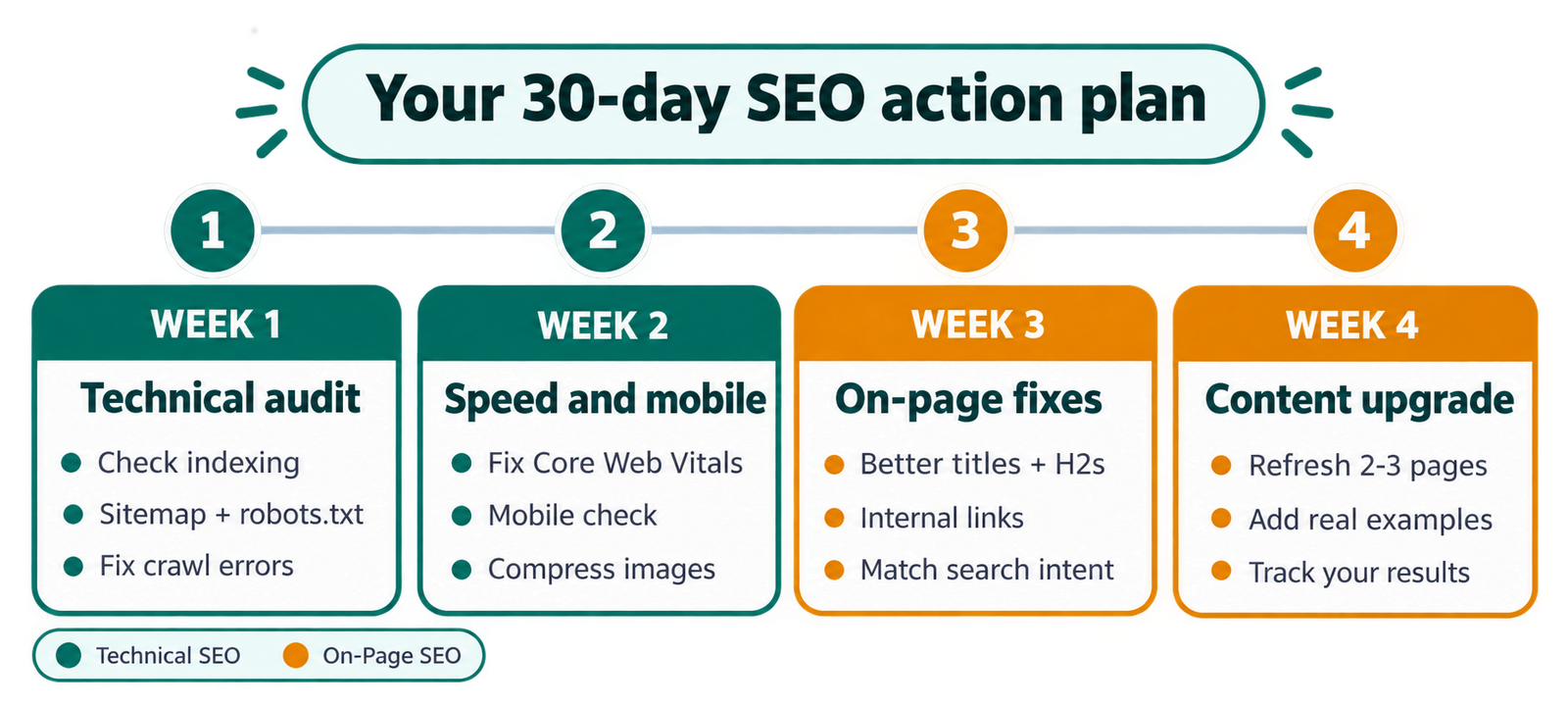
Your 30-Day Action Plan
Week |
Focus |
What to do |
|---|---|---|
1 |
Technical audit |
Check indexing, sitemap, robots.txt, and crawl errors |
2 |
Speed and mobile |
Fix Core Web Vitals and mobile issues |
3 |
On-page fixes |
Improve titles, headings, and internal links on your top 10 pages |
4 |
Content upgrade |
Refresh 2 to 3 pages on page 2 or 3. Track results in Search Console |
Conclusion
The technical SEO vs on-page SEO choice is not about picking a winner. Technical SEO makes sure Google can reach and trust your site. On-page SEO makes sure your content is worth ranking. You need both, but not at the same time. Find the bottleneck first, fix it, and then move to the next one.
New site? Start with the technical checklist. Already indexed but not ranking? Go straight to the on-page checklist. Start today: open Search Console and check your Pages report. That one report will tell you where to begin.
“Want to learn SEO from someone who has real hands-on experience? My teacher and guide, Manjeet Madhukar, shares practical SEO knowledge that helped me a lot. You can visit his website to learn more.”
FAQs
1. What is the main difference between technical SEO and on-page SEO?
Technical SEO fixes your site’s backend so search engines can crawl and index it. On-page SEO improves the content and page elements, like keywords, headings, and meta tags.
2. Which is more important?
Neither always wins. If your pages are not indexed, fix technical SEO first. If they are indexed but not ranking, work on on-page SEO. This is the most common technical SEO vs on-page SEO question.
3. Can I do on-page SEO without technical SEO?
You can, but it rarely works well. If Google cannot crawl or index a page, even great content will not show in search.
4. How often should I check technical SEO?
Every 2 to 3 months. Broken links, crawl errors, and slow pages build up over time.
5. How often should I update on-page content?
Refresh key pages every 3 to 6 months so they stay accurate and match what people want now.
6. Is schema markup technical or on-page SEO?
Mostly technical, because it is code in the backend. But it changes how your content appears in search results.
7. Is technical SEO a one-time task?
No. Setting up HTTPS is mostly one-time, but speed, errors, and structure need regular checks.
8. Where should a beginner start?
Check if your site is indexed and loads fast. Then do keyword research and improve content structure. Revisit the technical SEO vs on-page SEO comparison as your site grows.
9. Can great technical SEO fix weak content?
No. Search engines reward the page that best answers the search, not just the fastest site.
10. Should small businesses focus only on content?
No. Do a basic technical check first. A small site can still have indexing or speed problems that hold back good content.