
If you want to learn web development effectively, building projects is one of the best ways to turn theoretical knowledge into practical skills. Instead of only watching tutorials, web development project ideas help you practice coding, solve real problems, understand user interfaces, and create work that you can showcase in your portfolio.
From simple HTML and CSS websites to full-stack applications using React, Node.js, databases, APIs, and AI, there are projects for every skill level. Current project resources also show a growing focus on real-world applications, source code, AI integration, real-time functionality, and portfolio-ready projects.
Whether you are a beginner, college student, final-year student, or aspiring full-stack developer, choosing the right project can significantly improve your learning journey.
Why Build Web Development Projects?
Practical projects allow you to apply concepts that are difficult to understand through theory alone. While learning HTML, CSS, JavaScript, React, or backend technologies, projects help you understand how different technologies work together.
The major benefits include:
- Practical coding experience: Apply programming concepts to real applications.
- Better problem-solving: Learn how to break a large problem into smaller tasks.
- Portfolio development: Showcase completed projects to recruiters and clients.
- Technology practice: Gain experience with frameworks, APIs, databases, and deployment.
- Interview preparation: Be prepared to explain your coding decisions and project architecture.
- Career development: Strong projects can demonstrate practical ability beyond certificates.
Current student-focused research also emphasizes that a few completed, deployed projects can be more valuable than a large collection of unfinished tutorials.
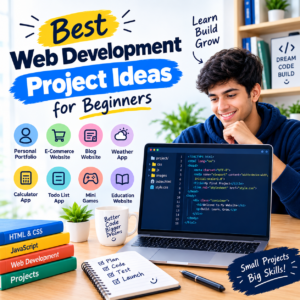
Best Web Development Project Ideas for Beginners
If you are new to coding, start with projects that focus on HTML, CSS, JavaScript, responsive design, and basic interactivity. Don’t immediately try to build a complex social network or large e-commerce platform.
1. Personal Portfolio Website
Create a responsive website containing your introduction, skills, projects, resume, and contact information.
Technologies: HTML, CSS, JavaScript
Features to add:
- About section
- Skills
- Project gallery
- Resume download
- Contact form
- Responsive design
- Dark mode
A portfolio can later become the central place where you showcase all your other projects.
2. To-Do List Application
A to-do application is a simple way to practice JavaScript and user interaction.
Features: Add, edit, delete, complete, and filter tasks.
You can improve it by adding local storage, categories, deadlines, priorities, and user accounts.
3. Calculator
Build a calculator that performs basic mathematical operations.
Technologies: HTML, CSS, JavaScript
Once the basic version works, add calculation history, keyboard controls, scientific functions, and a responsive interface.
4. Quiz Application
Create an interactive quiz where users answer multiple-choice questions and receive their scores.
You can add categories, timers, difficulty levels, random questions, and a leaderboard.
5. Weather Application
Use a weather API to display current weather information based on a city.
Skills learned: API integration, asynchronous JavaScript, JSON, error handling, and responsive UI.
6. Landing Page
Build a professional landing page for a product, service, startup, or business. This project is especially useful for learning layouts, typography, responsive design, calls to action, and conversion-focused UI.
These beginner-friendly projects align closely with current beginner project recommendations from GeeksforGeeks and GitHub repositories, where HTML, CSS, JavaScript, portfolio websites, calculators, games, and API-based applications remain common starting points.
Intermediate Web Development Project Ideas
Once you understand HTML, CSS, JavaScript, APIs, and basic frontend development, move toward projects involving databases, authentication, CRUD operations, and more complex application logic.
7. Expense Tracker
Create an application that allows users to record income and expenses.
Features:
- Add transactions
- Categories
- Monthly summaries
- Search and filters
- Charts
- Local or database storage
8. Blog Management System
Build a blog where users can read articles and administrators can create, edit, and delete posts.
Technologies: React or JavaScript, Node.js/PHP, and a database.
9. Movie Search Application
Create a search interface that retrieves movie information through an API.
Add filters, ratings, genres, favorites, and detailed movie pages to increase its complexity.
10. Student Management System
Create a system for managing student records.
Possible features include:
- Student registration
- Search
- Attendance
- Marks
- Courses
- Admin login
- Database management
11. Online Examination System
Build an application where students can register, take tests, submit answers, and view results.
This is particularly suitable for academic projects because it demonstrates authentication, database operations, scoring logic, and user roles.
12. Event Booking Platform
Allow users to discover events, view details, select dates, and make bookings.
You can add user accounts, payment integration, tickets, email notifications, and an administrator dashboard.
Advanced Web Development Project Ideas
Advanced projects should solve more complex problems and combine frontend, backend, databases, authentication, APIs, and deployment.
13. E-Commerce Website
Build a complete online shopping platform.
Core features:
- User registration
- Product catalogue
- Search and filters
- Shopping cart
- Wishlist
- Checkout
- Orders
- Payment integration
- Admin dashboard
Possible stack: React + Node.js + Express + MongoDB.
14. Job Portal
Create a platform connecting employers and job seekers.
Include job posting, candidate profiles, resume uploads, search filters, applications, employer dashboards, and administrator controls.
15. Learning Management System
Build an online education platform with courses, lessons, quizzes, student progress, instructor dashboards, and certificates.
16. Real-Time Chat Application
Create a messaging platform with user authentication, chat rooms, online status, notifications, and real-time messages.
Technologies such as Node.js, React, Firebase, or Socket.IO can be used depending on the architecture.
17. Multi-Vendor Marketplace
Take an e-commerce project further by allowing multiple sellers to register and manage their own products.
This introduces seller accounts, commissions, order management, inventory, reviews, and role-based authorization.
Current project repositories demonstrate this progression from simple frontend projects to full-stack applications involving databases, authentication, real-time communication, and frameworks such as React, Node.js, Django, and PHP.
Modern Web Development Project Ideas for 2026
Modern applications increasingly combine web development with AI, automation, real-time communication, and cloud technologies.
Some useful ideas include:
- AI Resume Builder
- AI Study Assistant
- AI Chatbot
- AI Interview Preparation Platform
- YouTube Transcript Summarizer
- AI Content Assistant
- Real-Time Collaboration Tool
- Collaborative Code Editor
- AI Recommendation System
- Smart Analytics Dashboard
For example, current project collections include Gemini-powered transcript summarization, AI note-taking applications, real-time collaborative drawing boards, collaborative code editors, serverless e-commerce platforms, and machine-learning web applications.
These projects can be especially valuable for advanced portfolios because they demonstrate knowledge beyond basic website development.
Web Development Project Ideas for Students
Students should select projects according to their current knowledge and academic requirements.
Beginner student projects
- Portfolio website
- Quiz application
- Calculator
- Restaurant website
- Event website
- To-do application
Intermediate student projects
- Expense tracker
- Blog CMS
- Library management system
- Student management system
- Online examination system
- Event booking system
Advanced student projects
- E-commerce platform
- Job portal
- Learning management system
- Hospital management system
- Social media platform
- AI-powered application
For college projects, don’t focus only on completing the application. Also prepare documentation explaining the problem statement, objectives, technologies, database structure, features, testing, limitations, and future scope.
Web Development Projects for Your Portfolio
A portfolio should demonstrate different skills rather than contain several almost-identical projects.
A good combination could be:
- Portfolio website — responsive frontend
- Weather or movie app — API integration
- Expense tracker — application logic and data handling
- Blog CMS — database and CRUD
- E-commerce or job portal — full-stack development
For every major project, provide a GitHub repository, live demo, screenshots, project description, technology stack, and clear documentation.
GitHub currently contains numerous public web-development repositories ranging from beginner HTML/CSS/JavaScript projects to React, PHP, Django, full-stack, real-time, and portfolio applications.
How to Choose the Right Web Development Project
Before starting a project, consider these factors:
1. Your skill level
Start with HTML and CSS if you’re completely new. Add JavaScript, APIs, frameworks, and backend technologies gradually.
2. Your goal
A beginner project is excellent for learning, while a full-stack application may be better for a resume or final-year portfolio.
3. Project complexity
Choose something you can realistically finish. A completed small project is more useful than an unfinished complex application.
4. Real-world value
Projects that solve practical problems can be easier to explain during interviews.
5. Technology
Choose technologies that match the skills you want to develop, such as JavaScript, React, Node.js, PHP, Python, or MERN.
6. Deployment
Deploy your application so employers, teachers, or clients can actually test it.
7. Future improvements
Choose a project that can grow. Start with a basic version and gradually add advanced features.
How to Make Your Web Development Project Stand Out
Don’t stop after making the basic functionality work. Improve the project with:
- Responsive design
- Authentication
- Search and filtering
- API integration
- Database
- Admin dashboard
- Error handling
- Form validation
- Accessibility
- Security
- Testing
- Analytics
- Deployment
- Good documentation
For example, instead of creating a basic expense tracker, add categories, charts, monthly budgets, authentication, database synchronization, export functionality, and an analytics dashboard.
This demonstrates how you think about a real product rather than simply following a tutorial.
Common Mistakes to Avoid
When building web development project ideas, beginners often make a few mistakes:
- Choosing a project that is too difficult
- Copying a tutorial without understanding the code
- Building projects without responsive design
- Ignoring accessibility
- Not using version control
- Leaving projects undeployed
- Having no documentation
- Building too many small projects instead of completing a few strong ones
Current beginner guidance also recommends progressing gradually instead of immediately attempting large applications such as major social-network or e-commerce clones.
Learn AI and Digital Marketing with Manjeet Madhukar’s through practical courses covering AI tools, SEO, social media marketing, and digital marketing strategies.
Conclusion
The best web development project ideas are not necessarily the most complicated ones. The right project should match your current skills, solve a meaningful problem, and give you an opportunity to learn something new.
Beginners can start with portfolios, landing pages, calculators, to-do applications, quizzes, and weather apps. Intermediate developers can move toward expense trackers, blogs, management systems, booking platforms, and API-based applications. Advanced developers can explore e-commerce, job portals, LMS platforms, real-time applications, AI tools, and full-stack SaaS products.
If you’re just starting, focus on web development project ideas for beginners and gradually increase complexity. Build, test, deploy, document, and improve each project instead of simply collecting tutorials.
A portfolio containing three to five well-built and deployed projects can demonstrate your skills far more effectively than a long list of unfinished exercises.
FAQs
1. What are the best web development project ideas for beginners?
Some of the best beginner projects include a portfolio website, landing page, calculator, to-do list, quiz application, weather app, and simple blog. These projects help you practice HTML, CSS, JavaScript, responsive design, and basic application logic.
2. Which web development project is best for a resume?
A complete full-stack application such as an e-commerce website, job portal, booking platform, LMS, or AI-powered application can be strong for a resume. Include a live demo, GitHub repository, documentation, and a clear explanation of your contribution.
3. What are good web development projects for students?
Students can build portfolio websites, student management systems, online examination systems, library management systems, event platforms, e-commerce websites, job portals, and learning management systems.
4. Can beginners build web development projects using HTML, CSS and JavaScript?
Yes. HTML, CSS, and JavaScript are enough to create many useful beginner projects, including portfolios, calculators, quizzes, games, landing pages, expense trackers, and API-based applications.
5. How many web development projects should I build?
Quality is generally more important than quantity. Aim for around three to five well-developed projects that demonstrate different skills rather than creating many unfinished projects. A good portfolio can include a frontend project, API-based application, and full-stack project.
6. Where can I find web development projects with source code?
GitHub contains public repositories covering beginner, frontend, full-stack, React, JavaScript, PHP, and other web-development projects.
7. What should I learn before starting a web development project?
Start with HTML and CSS, then learn JavaScript. Once you understand frontend fundamentals, you can move into APIs, React or another framework, backend development, databases, Git, and deployment.